


A Simple Remote Control for Smart TVs
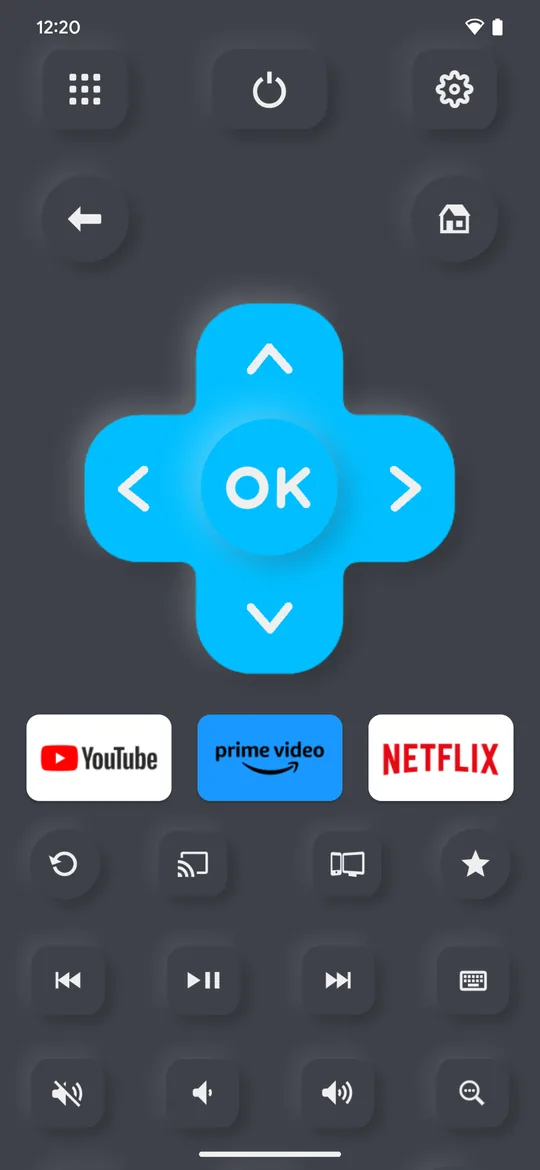
Lost your remote? Control your Smart TV with a few taps on your phone or tablet. Every button is right there on the screen.
One-Off payment or with Ads
Because nobody wants to pay a recurring subscription for a tv remote. ➡️
Full Remote Control
A full backup for your hardware remote. Every button you need is on the screen.
Intuitive UI
Navigate channels, adjust the volume and switch inputs with a tap.
Universal Compatibility
Supports the most popular Smart TVs. Works on iOS, Android, Huawei and Amazon Devices.
Channel List
Easily browse & open channels your Smart TVs.
Search
Search for movies, channels and apps.
Fast & Easy Keyboard
Enter text comfortable and easy.
Supported Smart TVs

Remote for Roku
All Roku players are supported. If you need an Online Remote for Roku that works 100% online in any browser and without app installation, try the Online Remote for Roku.
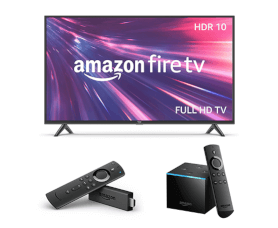
Fire TV Remote
TVs with Fire TV built-in made by Amazon, Element, Insignia, Toshiba, JVC, Grundig, Onida, ok and Fire TV Box, Fire TV Cube, Fire TV Soundbar, Echo Show 15.

Samsung TV Remote
TVs with Tizen OS built-in made by Samsung, Akai, Bauhn, Linsar, Tempo, RCA, Vispera, HKC, Sunny, Axen, Atmaca. Older Samsung TVs. incl. C-Series 2010, D-Series 2011, E-Series 2012, F-Series 2013, H-Series 2014 and J-Series 2015 are also supported.

LG TV Remote
TVs with webOS Hub built-in made by LG, Akai, Bauhn, EKO, Seiki, Stream System, Konka, Aiwa and Hyundai. Older LG TVs with Netcast incl. V-Series 2011, W/M/S Series 2012, A/N Series 2013 and B/C Series 2014 are also supported.

Android TV & Chromecast Remote
TVs and Chromecast with Google TV built-in made by Google, Sony, TCL, Philips, Hisense, Panasonic, Polaroid, Sharp, Blaupunkt, Grundig, Bauhn, EKO, Falcon, Kogan, Konka, JVC, Linsar, RCA.

VIZIO TV Remote
TVs made by VIZIO, including HD, 4K, Quantum, Quantum Pro, D-Series, V-Series, M-Series, P-Series and OLED TV.
Free TV Remote Test
Remote not responding? Point it at your phone camera and watch for the infrared flash. You will know in seconds whether the remote is dead or the batteries simply need changing - free, right in your browser, with nothing to install.
settings_remote Open the TV Remote TestTesting the TV itself? tv-test.com has free tools for dead pixels, backlight bleed, color banding, calibration patterns, screen resolution, audio sync, HDR and streaming speed.

TV Remote FAQ
Common questions about using your phone as a TV remote: how it connects, what it costs, which TVs it works with, and what to do when a device does not show up.
- Never lose it again: your phone is always with you
- Better typing: the full keyboard instead of arrow keys, letter by letter
- More features: channel guides, app shortcuts and voice search
- Works with several devices: TV, streaming box and soundbar from one app
- Always current: new features arrive without buying new hardware
- Backup remote: ready when the original breaks or goes missing
- Check your Wi-Fi: both devices need to be on the same network
- Restart the app: close and reopen it
- Check compatibility: the app supports most smart TVs from 2013 on
- Contact support: we can help you get connected
- No subscription: one upgrade, a one-off payment, used for the life of your store account
- Wide compatibility: works with a broad range of TV brands and models
- Stable connection: a steady Wi-Fi link
- Regular updates: new features and support for new devices
- Made in Germany: built and run by a small team
- Privacy focused: we do not collect unnecessary personal data
- Support: email us and we answer
- Samsung TVs: C-Series 2010, D-Series 2011, E-Series 2012, F-Series 2013, H-Series 2014, J-Series 2015
- LG TVs: V-Series 2011, W/M/S Series 2012, A/N Series 2013, B/C Series 2014 with Netcast
- Other brands: Sony, Philips, Panasonic, TCL, Hisense, and many other legacy models
- Streaming devices: Roku, Fire TV, Chromecast, and Android TV boxes
- No account required: use the app without giving personal details
- Local connection: the app talks directly to your TV over your home Wi-Fi
- No tracking: we do not collect or store your viewing habits
- Clear privacy policy: it explains what the app does with data
Subscription Free
We think a remote shouldn't cost more than your lunch. We are just two developers building apps we enjoy, over a cup of ☕, with no big team to fund.
That is why the optional Lifetime Pro/Premium Upgrade is a one-off payment that lasts the lifetime of your Apple, Google, Huawei or Amazon account. Watch the video for why we skip subscriptions.
 play_circle_filled
All purchases can be used and restored on multiple devices that use the same Apple, Google, Huawei or Amazon ID. Purchases are not transferable from one account ID to another.
Tutorial Videos
Watch the tutorial videos and see how the TV Remote App works. It is simple, fast and reliable.
TV Remote for iPhone & iPad
Learn how the TV Remote App works on iPhone and iPad.
 play_circle_filled
TV Remote for Android
Learn how the TV Remote App works on Android, Huawei and Amazon devices.
 play_circle_filled
Support
If you need help setting up the TV Remote App or encounter issues using it, please refer to the FAQ in the iOS or Android app or contact us via email.
Refunds / Chargeback
Subscriptions: All of our paid apps and upgrades are one-time purchases. We do not offer subscriptions. If you notice recurring subscription charges on your account, please contact the relevant vendor or payee directly.
iOS: Please contact Apple directly to request a refund at https://reportaproblem.apple.com.
Android: Please email us your Google Purchase ID from the Google purchase receipt in the format GPA.xxxx-xxxx-xxxx-xxxxx.
Huawei: Please contact Huawei customer support directly to request a refund.
Amazon: Amazon does not provide refunds for digital purchases. Please refer to the Amazon Appstore Terms of Use.
More Apps
Discover more apps made in Germany.


QR Scanner
QR Code Scanner & PDF Creator. Easy & Fast. No Subscriptions.


GPS & Maps
Easy GPS Tracking & Mapping, Compass & Waypoints.

